
Manage every PC in your labs, training rooms, and stores — from one place
Check screens, take control, run tasks, and power machines on or off without leaving your desk. Built for schools, public agencies, and enterprises.
Dozens → 1 screen
See all your PCs on one screen
3-in-1
Screen control · Power on/off · Run tasks
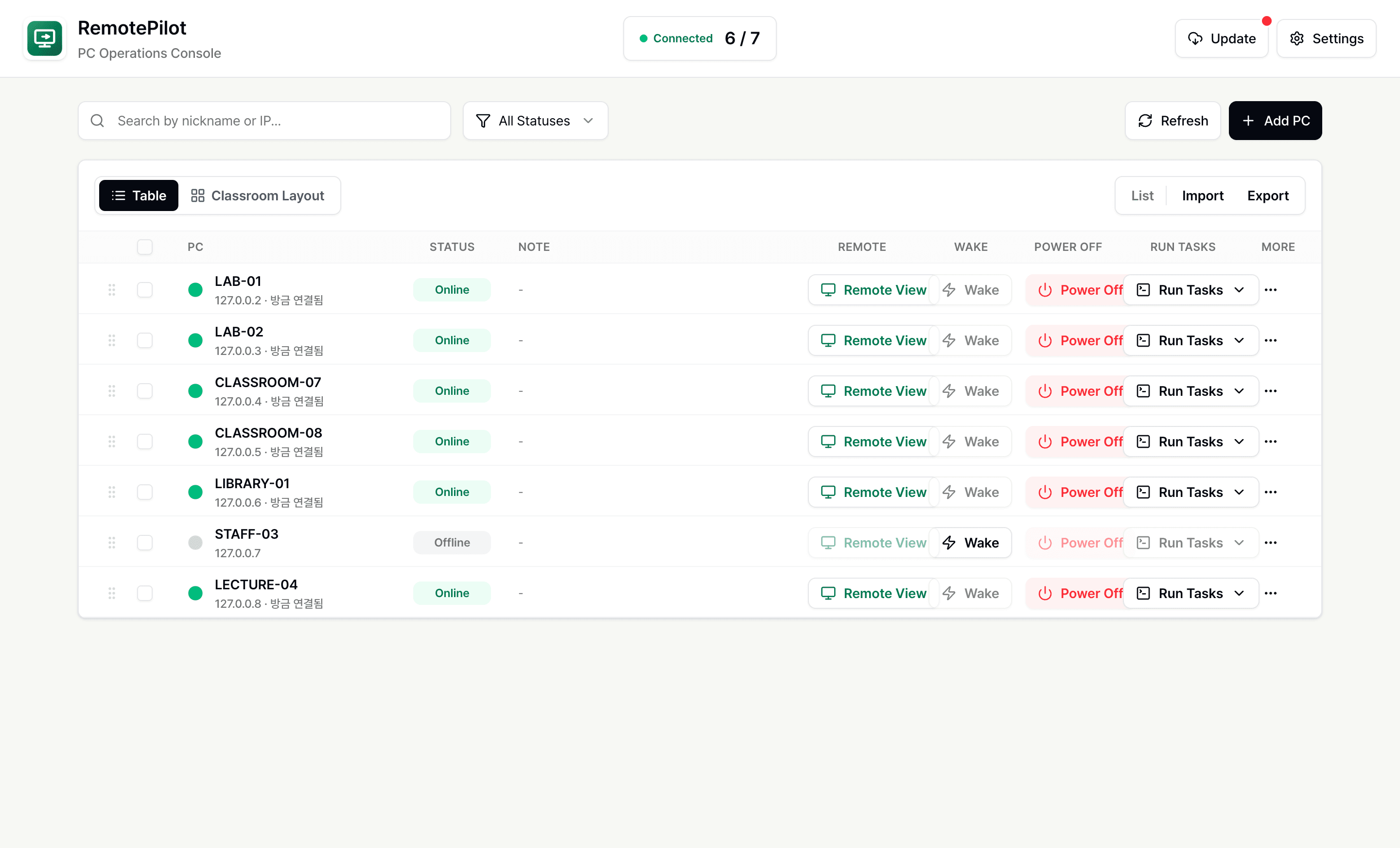
Inspect the screen and keep the response moving without going on site.
Find the PC that's acting up, watch its screen live, and take over the mouse and keyboard to fix it on the spot.
See which PCs are on and which are off in one list, so you know which to handle first.
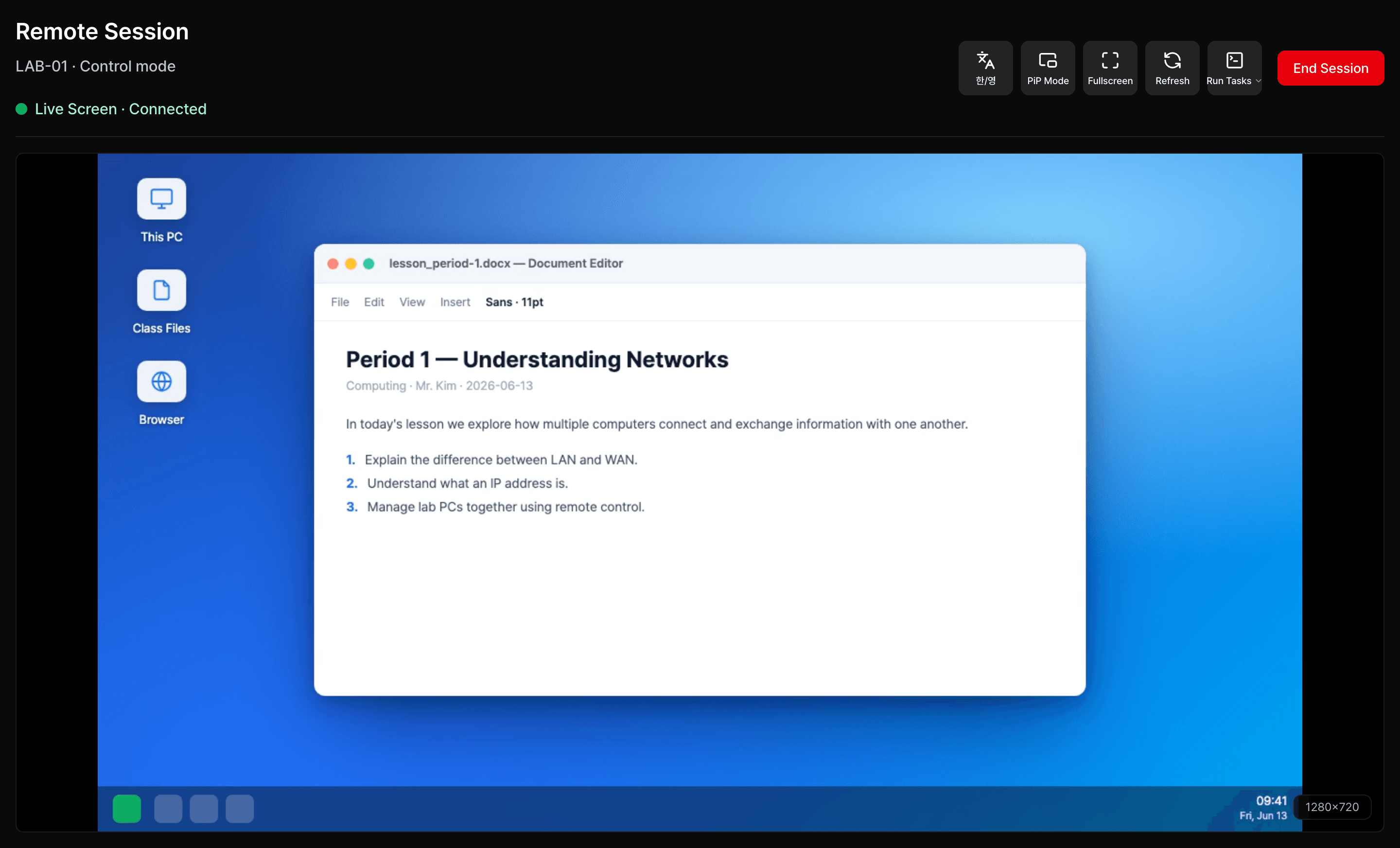
Watch the user's screen in real time, and take over the mouse and keyboard when you need to fix it directly.
See the connection and how fast the screen responds, so remote work stays smooth.
The daily controls for managed desktop operations.
PC list and status
See each registered PC's IP, last connection time, and on/off state at a glance, and jump straight to the one you need.
Remote screen & control
Connect to a PC that's on, watch the screen, and take control to fix the problem directly.
Remote power control
Shut down running PCs remotely and wake powered-off PCs with Wake-on-LAN, so you manage power right from your seat.
Internal network only
PCs connect only inside your internal network, so the machines you manage aren't exposed to the open internet.
Task execution
Pick the routine checks and clean-up jobs you run often, send them to the PCs you choose, and review the results in a log.
App updates
Check the versions of the admin app and the on-site PC app, and manage which PCs need an update from one place.
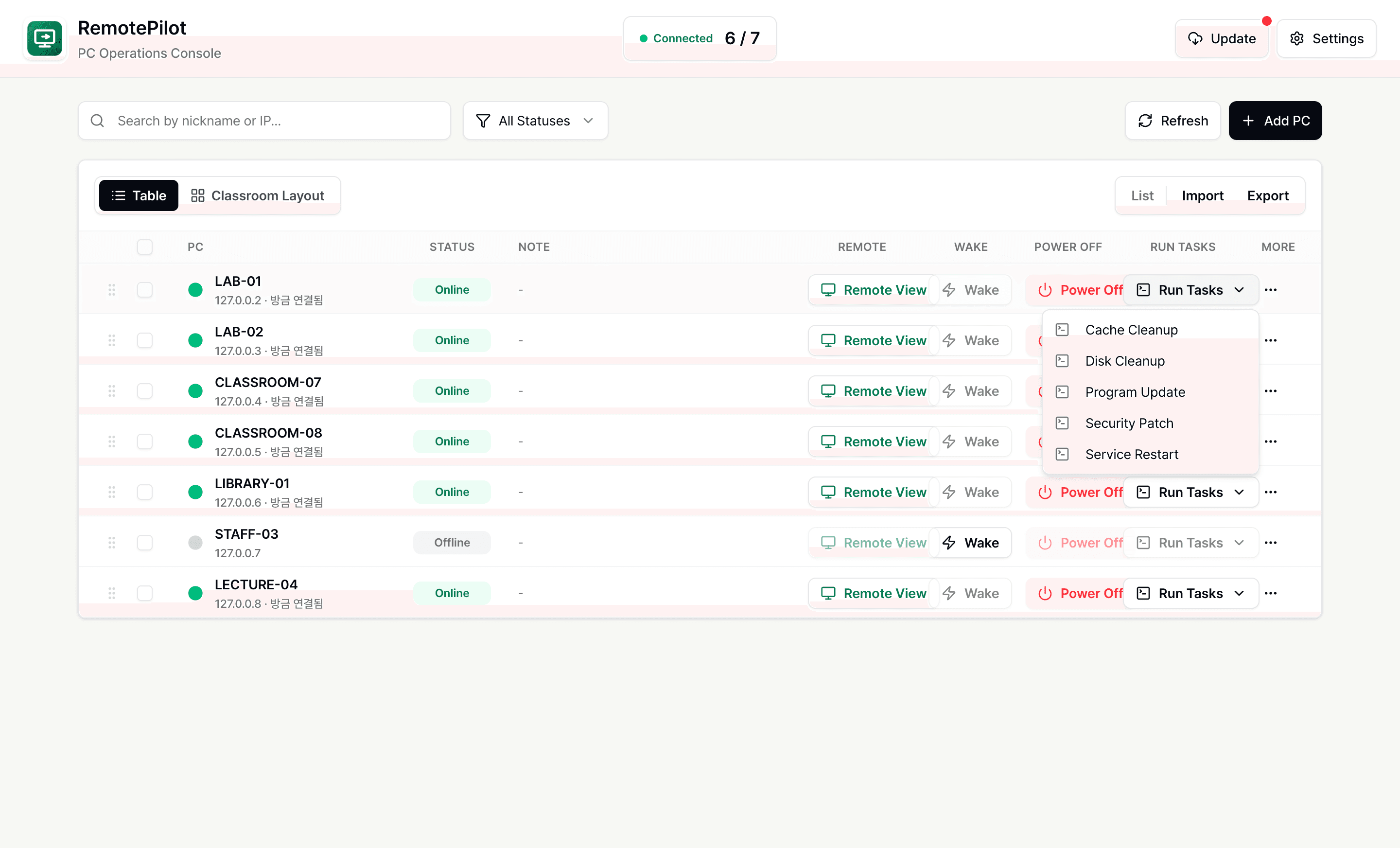
Run repeat maintenance on many PCs at once — no more handling them one by one.
Run tasks, check results, and review app updates in one view, so you spend less time repeating the same checks.
From registering a PC to routine checks — four simple steps.
The admin app and the on-site PC app work as one, so the jobs you used to do by walking PC to PC get done from your seat.
Register the PCs you manage, or import and export the whole list as a file.
See which PCs are on and which are off in one list.
Open the PC you want and choose: watch the screen, run a task, or power it on or off.
Review app updates and connection logs to keep every PC in good shape.
Built for teams that have to keep many PCs running every day.
Classrooms
Register every PC in lecture halls, labs, and computer rooms, then run pre- and post-class checks and batch tasks from your desk.
Offices
Inspect staff and shared machines remotely, and handle updates and power control from a single console.
Stores
Power the kiosks, POS, and display PCs across your branches on or off from your desk, and spot issues right away.
What teams check before adopting remote PC management
RemotePilot fits classrooms, offices, retail sites, and other shared-PC environments where teams need to monitor and maintain many desktops.